
Updated Phone: 5 Android Features in 2026

Google’s September 2026 Android Feature Drop brings useful new tools to an updated phone, software update, with a focus on AI, accessibility, messaging, and everyday convenience. The new Android update includes Gemini image generator, Gemini-powered item memory, Motion Assist, Guided vision, Google Keep features in Messages, and new chat themes. For students, professionals, and marketers in India, these changes can make an Android phone more helpful at work, while travelling, or during daily tasks. However, feature availability can vary by device, Android version, app, country, and rollout. So, before starting an Android update download, it is worth knowing what Google has added.
What Makes an Updated Phone More Useful in 2026?
An updated phone is not only about getting the newest security patch. Software updates can also add new tools that change how people use their devices. Google’s latest Android Feature Drop shows this clearly. Instead of focusing only on system changes, Google is adding AI-powered tools, accessibility improvements, messaging features, and easier ways to manage information. For Indian users, these features can be useful in many situations. A student can use shared notes for a group project, while a professional can use Gemini to remember where an important item was placed. The exact features available on an updated phone will depend on the device and software version.
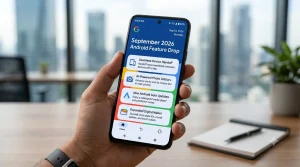
Updated Phone Gets Smarter With Gemini and Find Hub
One of the most practical additions in the September Android Feature Drop is Gemini’s ability to remember where users put important items. Imagine placing your passport in a drawer before a trip. A few days later, you cannot remember exactly where you kept it. With the new feature, you can ask Gemini to remember the item’s location and save that information in Google Find Hub. Users can also add a photo of the item. Later, they can ask Gemini where they placed it or check the saved information through Find Hub. This can help with passports, keys, documents, chargers, and other belongings that are easy to misplace. Google says this feature requires Android 16 or newer on supported devices and availability can vary by market.
How Gemini Helps an Updated Phone
This feature shows how AI is becoming part of everyday smartphone tasks. Instead of using Gemini only to ask questions, users can now use it as a practical assistant for remembering information. For busy professionals and students, that can save time and reduce the need to search through drawers or bags. The feature also highlights the growing connection between Gemini and Google’s Android update download.
Updated Phone and Google Find Hub
Google Find Hub helps users locate compatible devices and belongings. The new Gemini connection adds another layer by letting users save the location of important items that may not have a physical tracker. That makes the feature particularly interesting for people who often travel or carry important documents.
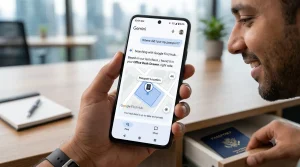
New Android Update Adds Motion Assist
The latest new Android update also introduces Motion Assist, a feature designed to help reduce motion sickness when using a phone inside a moving vehicle. Motion Assist displays moving bubbles over the screen. Their movement is designed to match vehicle motion and reduce the difference between what the eyes see and what the body feels. Users can also set Motion Assist to activate automatically when the phone detects that they are travelling in a vehicle. This could be useful for commuters who want to read messages, browse the web, or use their phone while travelling. Google says Motion Assist is designed for phones running Android 17.
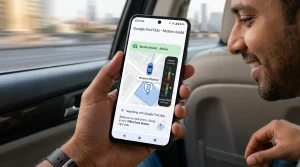
Why Motion Assist Matters
Many smartphone users experience discomfort when looking at a screen during a car journey. Motion Assist targets this everyday problem without requiring special hardware. For professionals who travel frequently, it could make short journeys more comfortable. Students who commute to college may also find the feature useful.
Updated Phone Gets Guided Vision Through Gemini
Accessibility is another major part of the September Android Feature Drop. Google is introducing Guided vision through Gemini Live to help users understand what their phone camera sees. Users can share their camera view with Gemini. The AI can then describe objects, text, and surroundings. For example, Guided vision can help with reading small text on packaging, understanding a menu, or identifying objects around the user. Google says the feature was developed with blind and low-vision communities in mind. The tool can also provide voice guidance if the camera needs to move. Gemini can help the user reframe the camera or position an object correctly.
Gemini Image Generator Is Different
The Gemini image generator should not be confused with Guided vision. The image generator focuses on creating or editing images, while Guided vision uses the camera and Gemini Live to help users understand their surroundings. Both features show Google’s larger focus on bringing AI into everyday mobile experiences.
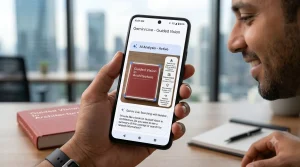
Software Update Brings Google Keep to Messages
The latest software update also makes collaboration easier in Google Messages. Users can now access Google Keep from a conversation and create or edit shared notes. This means people can plan activities without constantly switching between Messages and another app. For example, friends can create a travel checklist. Families can make a grocery list, while students can create a shared list for a group assignment. Professionals can also use shared notes for meeting tasks, project ideas, or quick reminders.
How Students Can Use the New Feature
Students often work on group assignments through messaging apps. With Google Keep integration, they can create a shared note while chatting. This can make it easier to track tasks, deadlines, ideas, and other information in one place. For marketers, the feature could also help with campaign planning, content ideas, and simple task lists.
Updated Phone Gets New Google Messages Chat Themes
Personalization is another highlight of the September update. Google Messages now allows users to customize individual conversations with chat themes. Users can choose a wallpaper, select a photo from their gallery, and use colors based on that image. They can also manually choose colors for their conversation. This gives an updated phone a more personal messaging experience. Users can create different looks for chats with friends, family, work groups, or other conversations. Although this is a smaller feature than Gemini or Motion Assist, it adds more flexibility to everyday messaging.
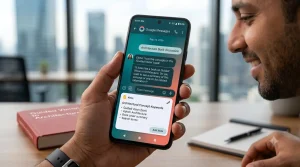
How to Get the New Android Update on Your Updated Phone
If you want to check whether your device has received the latest features, start by checking for a software update.
Follow these general steps:
1. Open Settings.
2. Select System or Software Update.
3. Tap the option to check for updates.
4. If an update appears, select download and install.
5. Keep your phone connected to power if needed and allow the installation to finish.
The exact menu can differ between phone brands. An Android update download does not always mean that every new feature will appear immediately. Google can roll out features separately, and some features require specific Android update download.
Is the New Android Update Available in India?
Indian Android users may receive the September features at different times. Google notes that availability depends on factors such as Android version, device compatibility, country, supported Google services, and rollout timing. For example, Gemini’s remembered-item feature requires Android 16 or newer on supported devices, while Motion Assist requires Android 17. Guided vision has broader Android update download compatibility but still depends on Gemini availability. Therefore, users should not assume that every feature will appear on every updated phone.
Do You Need a New Updated Phone?
Not necessarily. Many Android features can arrive through app updates or Google Play services. However, certain features need a newer Android version or compatible hardware. Before buying a new phone, check whether your existing device can receive the latest **software update**. You may already be able to access several new features.
Why This Android Feature Drop Matters
The September Android Feature Drop is important because it focuses on useful problems rather than only technical upgrades. Students can collaborate more easily. Professionals can manage information with Gemini and Google Keep. Traveller may benefit from Motion Assist, while accessibility users can use Guided vision to better understand their surroundings. The update also shows that Google is making Gemini a deeper part of Android update download. AI is moving beyond simple questions and becoming part of everyday tasks.
Final Thought: Is an Updated Phone Worth Updating?
The September Android Feature Drop 2026 brings five notable improvements: Gemini-powered item memory, Motion Assist, Guided vision, Google Keep integration in Messages, and customizable chat themes. Not every updated phone will receive every feature at the same time. Still, the update shows Google’s direction for Android: smarter AI, better accessibility, easier collaboration, and more personalization. If your device supports the latest update, checking your settings could be worthwhile.
Frequently Asked Questions
What is the September Android Feature Drop 2026?
It is Google’s latest collection of Android features and improvements. The September release focuses on Gemini, accessibility, messaging, collaboration, and personalization.
How can I download the latest Android update?
Open Settings on your phone and look for System Update or Software Update. If an update is available, follow the instructions to download and install it.
Does every updated phone get the same Android features?
No. Feature availability can depend on the phone model, Android update download, Google services, country, and app support. Is the Gemini image generator part of the September Android Feature Drop? The Gemini image generator is a separate Gemini capability. The September Android Feature Drop specifically highlights features such as Gemini-powered item memory and Guided vision.
Is the new Android update available in India?
The rollout can vary by device and region. Indian users should check their phone’s software-update settings and keep Google apps updated.